Know what club to hit, where to aim, and why.
GolfCore's AI caddie helps you make better decisions on the course. Ask about the club, the target or the wind, with a read of the hole in front of you and the distances in your bag.
Requires a GolfCore account and CaddyCore Premium. New accounts start with a complimentary preview.


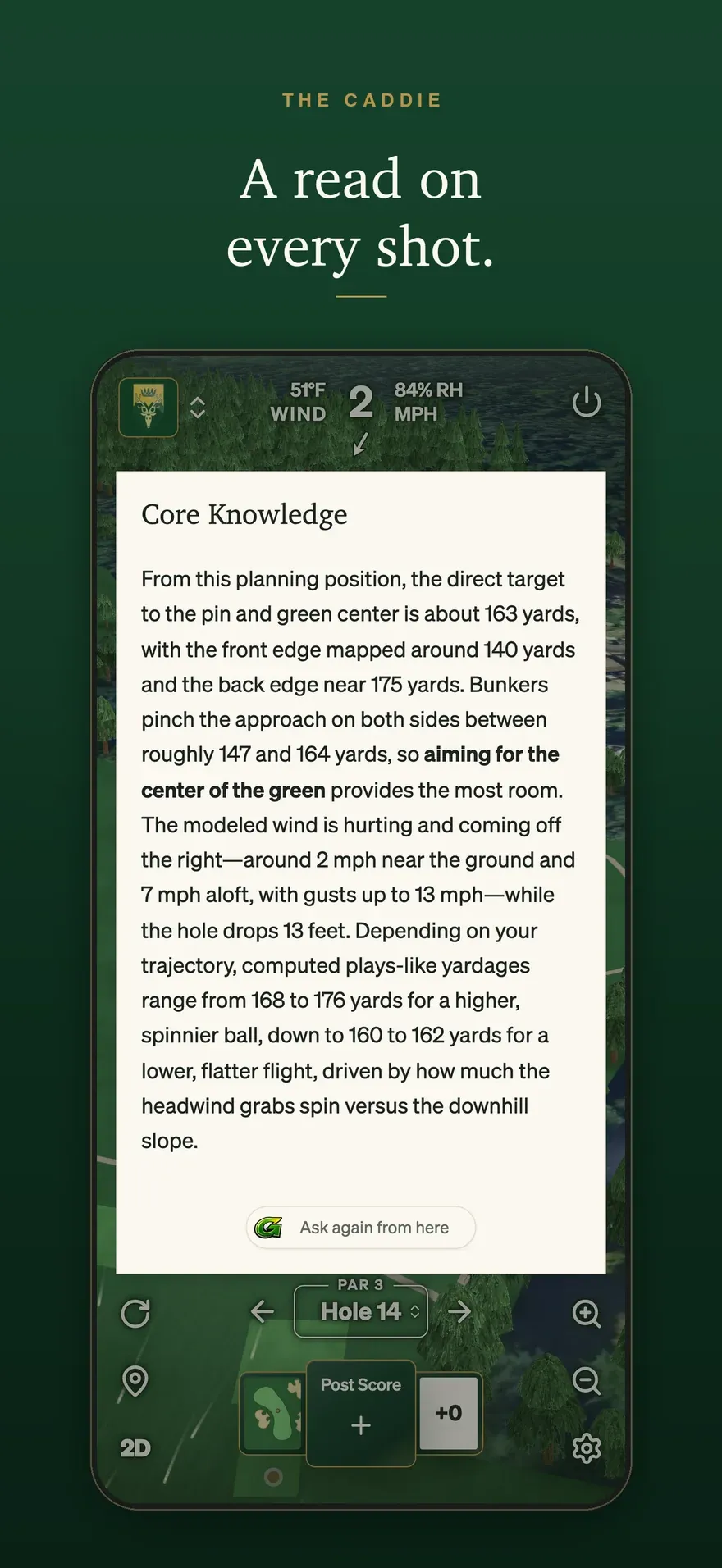
A read of the shot you are standing over.
A yardage is the start of a decision. GolfCore brings the hole, the conditions and your game into the conversation, so you can ask what to hit and where to aim.
- Choose the club bring your own distances into the decision
- Pick a target ask about the line, the carry and the trouble
- Understand the play hear the reasoning before you commit
Learn the decision as you play the round.
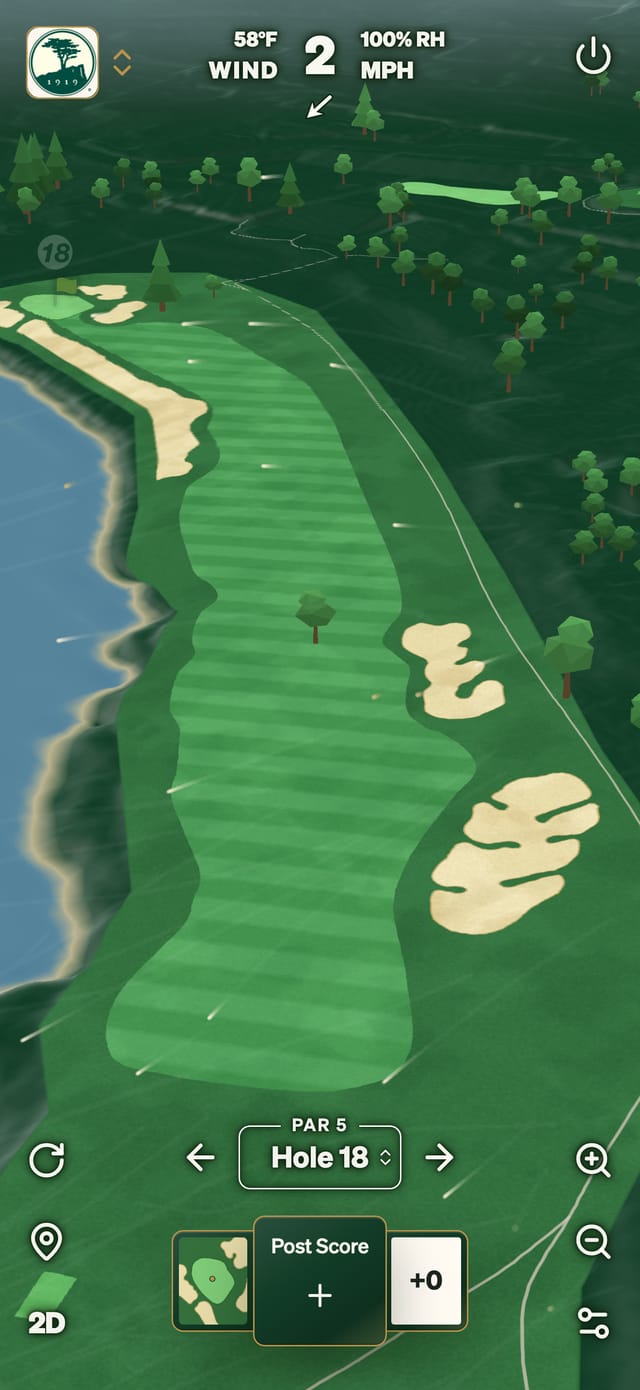
Course management is a skill you build through decisions. Use the caddie as an on-course coach: ask about the options, explain the shot you want to play and understand why a recommendation fits.
- “Should I lay up here?” weigh the carry against a position for the next shot
- “How does the wind change this shot?” bring the conditions into club and target selection
- “Where is the safer miss?” think about the trouble before choosing your line
Ask your caddie out loud.
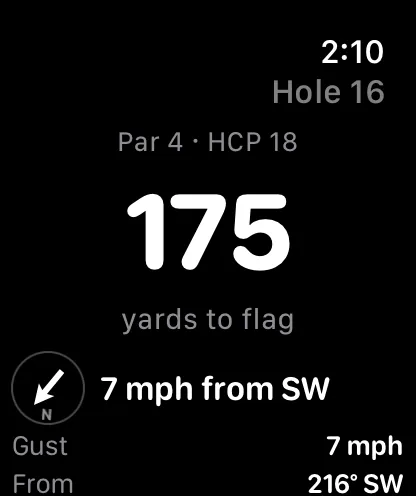
Keep the glove on and ask about the shot. Sign in to GolfCore on your device first; Siri yardages and caddie advice are included with CaddyCore Premium.
- Siri on iPhone and Apple Watch say “Ask my GolfCore caddie”, then ask your question
- A number when you need it say “How far is the flag in GolfCore” for the pin and the middle of the green
- Your position on the course open GolfCore on the hole and allow location access
Bring your next shot to the caddie.
Find your course
Check the mapping coverage, then open the course in GolfCore.
Make it your game
Sign in, add your club distances and open the map on the hole you are playing. Caddie advice is part of CaddyCore Premium, including the complimentary preview for new accounts.
Get your first read
Tap the caddie button on the map for a read of the shot. To ask a question by voice, say “Ask my GolfCore caddie” to Siri, then ask about your club, target or the safer play.
Yardage and scoring are free at every course. Premium adds the caddie's read.
| Feature | Free | Premium |
|---|---|---|
| Course map and GPS yardages |  Included Included | Included |
| Scorecard and watch apps | Included | Included |
| AI caddie advice for the shot in front of you |  Not included Not included | Included |
| Green contours where mapped and modeled wind | Not included | Included |
| Ask the caddie through Siri on iPhone and Apple Watch | Not included | Included |
Premium is $10 a month or $100 a year. New subscribers pay $5 for the first month or $50 for the first year, or take a $3 Day Pass. New accounts start with a complimentary preview.
Explore how GolfCore fits your game.
Compare course strategy, golf GPS and the tools you already play with.
Common questions
What is GolfCore's AI caddie?
It is on-course guidance for club selection, targets and shot strategy. Ask about the shot you are playing and get a recommendation with its reasoning, using your position, the course information available and the club distances you have entered.
How does it help with course management?
Ask where to aim, which club suits the distance, whether to lay up or how to approach a green. The caddie explains the tradeoffs so you can make the decision and learn from the read.
Is it useful if I am new to golf?
Yes. Ask in your own words, such as which club to use or why a target makes sense. You can tell the caddie your handicap, club distances and the shot you feel comfortable playing.
Can I use it by voice?
On iPhone and Apple Watch, say “Ask my GolfCore caddie” to Siri, then ask your question. Open GolfCore on the course and sign in first. Compatible AI assistants can also connect to GolfCore; location sharing and voice controls depend on the client.
Do I need an account and Premium?
Yes. Sign in to GolfCore and use CaddyCore Premium for caddie advice, including voice advice. New accounts start with a complimentary preview. Members of clubs on GolfCore already hold everything Premium includes.
Does every course have the same mapping?
Coverage varies by course. The course page and app show which greens are mapped before you subscribe. The advice depends on the course information, position and conditions available for your shot.
Does the AI caddie need an internet connection?
Yes. Asking the caddie needs a connection. Premium course downloads let you keep the course map available when you lose signal.
Write us. A person reads every message.
Account help, club onboarding and questions about GolfCore. One address for all of it.
Contact GolfCore →