the yard, kept in step

Caddie management that lives inside the tee sheet.

Most caddie software is a separate system bolted on beside the club's booking book. GolfCore was built the other way around: the yard, the tee sheet, and the course itself in one app — for the caddie master, the shop, the member, and the caddie.

0 Second calendars The yard reads the tee sheet itself
1 Text to confirm A loop accepted from the caddie's phone
14,000+ Courses caddies read Contours, wind, and pins in the same app
Every club Can request a caddie One profile, wherever they loop
The Sheet · One Book

Assignments come off real tee times.

A loop on GolfCore starts where it starts in real life: a tee time. The caddie master assigns from the book the shop already keeps, so there is no morning of copying names between systems — and no yard run from memory and a clipboard.

  • Requests & direct assignments — made from the sheet the shop already runs
  • No second calendar — the yard and the tee sheet read the same page
  • The day resolves live — confirmed, on property, or still needing a name
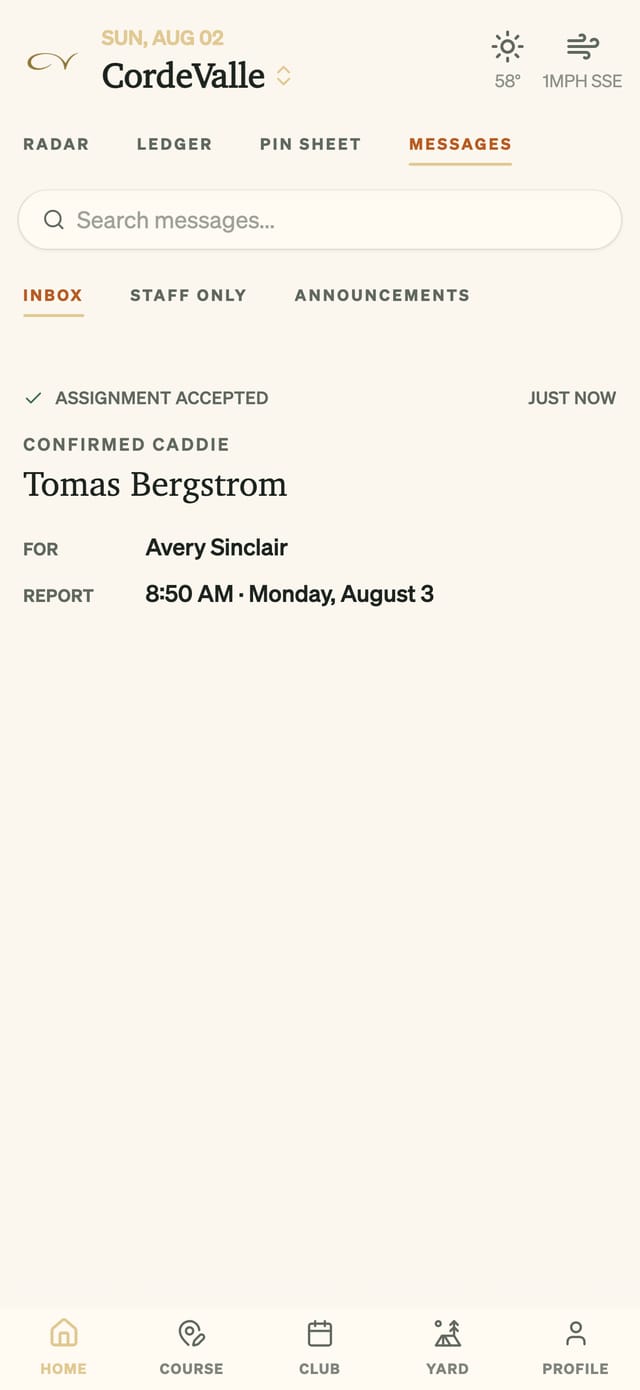
The caddie master's inbox: an assignment accepted, with the confirmed caddie, member, and report time
The Desk · Confirmations as They Land
The Text · A Word, Not a Portal

Assigned by the shop. Confirmed from the phone.

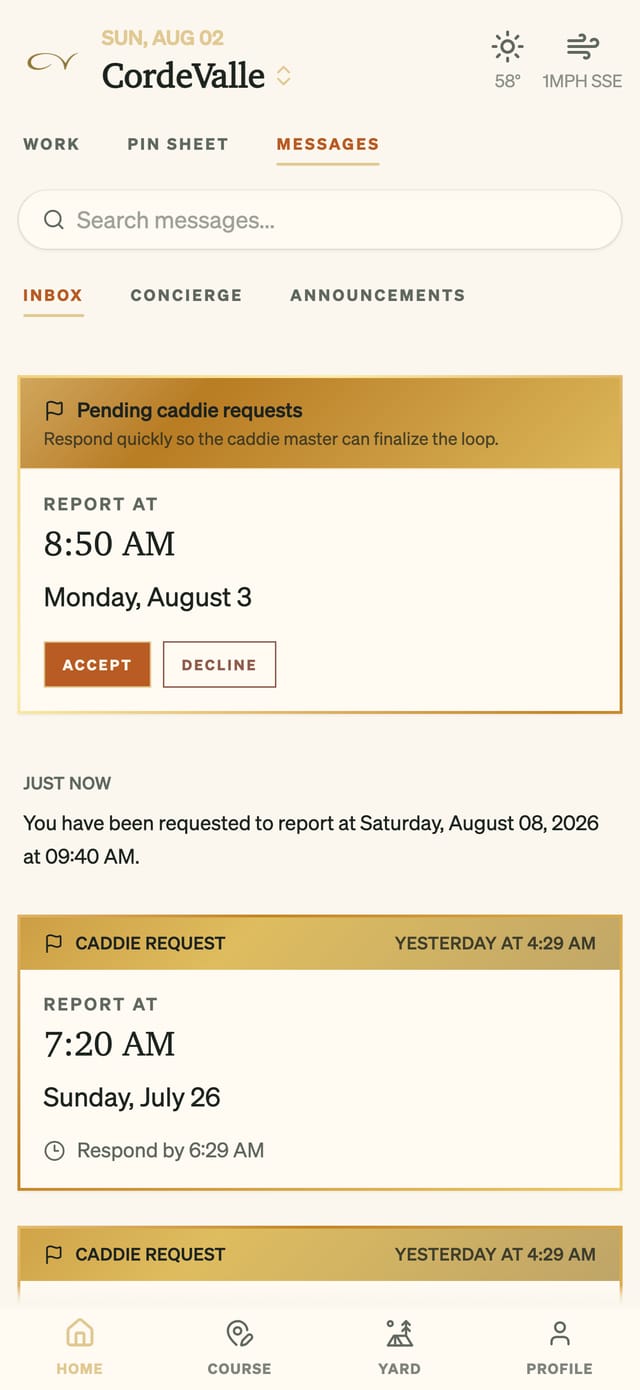
When a caddie is assigned, they get a text and answer from their phone — no separate portal, no morning phone tree. The moment the word is given, it stands on the sheet.

  • SMS to the caddie — report time, date, and a deadline to answer by
  • Accept or decline — the answer is a word, and the club has it instantly
  • Arrival on the sheet — who is confirmed and who is on property
A caddie's pending loop request with report time and Accept and Decline buttons
The Caddie's Screen · Accept or Decline
The Course · Carried, Not Guessed

Caddies carry the course, not just the bag.

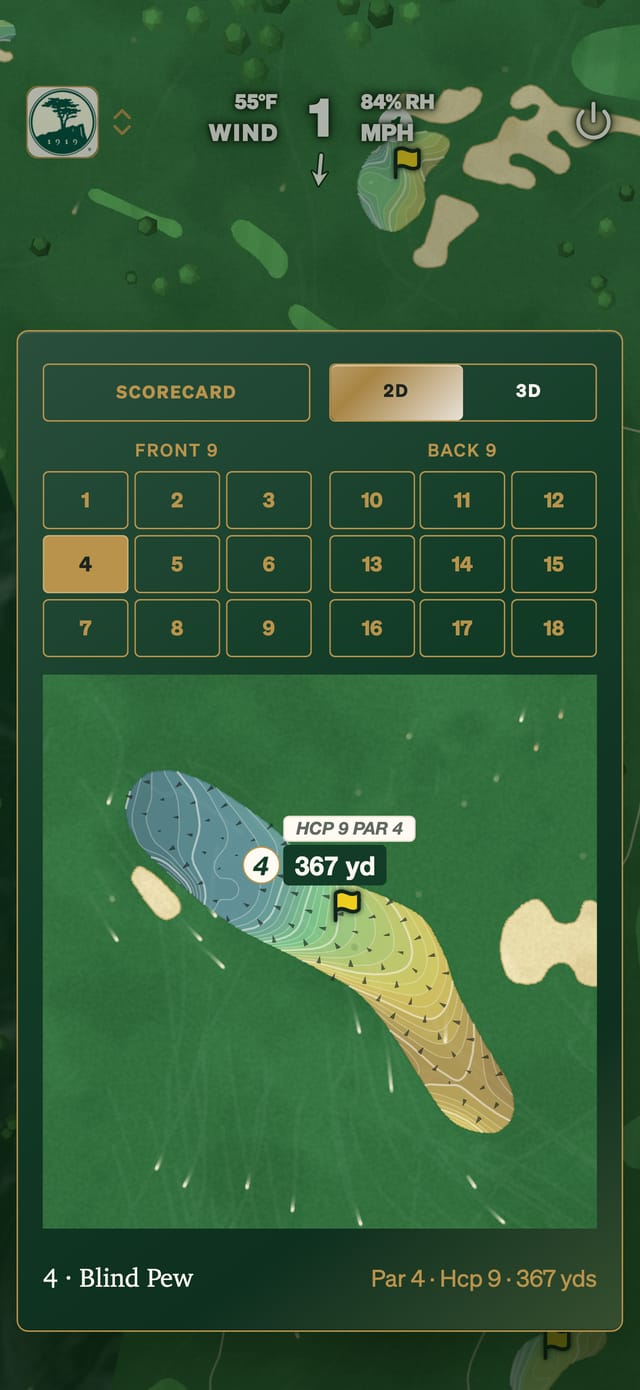
A caddie on GolfCore opens the same course intelligence the club's members play with — more than fourteen thousand courses mapped contour by contour, on the way to every course in the world where a caddie walks.

  • Green contour maps — fall-line arrows on every green the club plays
  • Live wind — rendered at the caddie's position, not the airport's
  • The morning's pins — set by the shop, live for every loop
GolfCore green map with contours and fall-line arrows
The Green · Contours · Fall Lines · Pin
The Yard · One Community

One yard, shared across every club.

The network is more than scheduling. Once a caddie is onboarded at one club, any club on GolfCore can request them — and every club that joins makes the yard deeper for all of them.

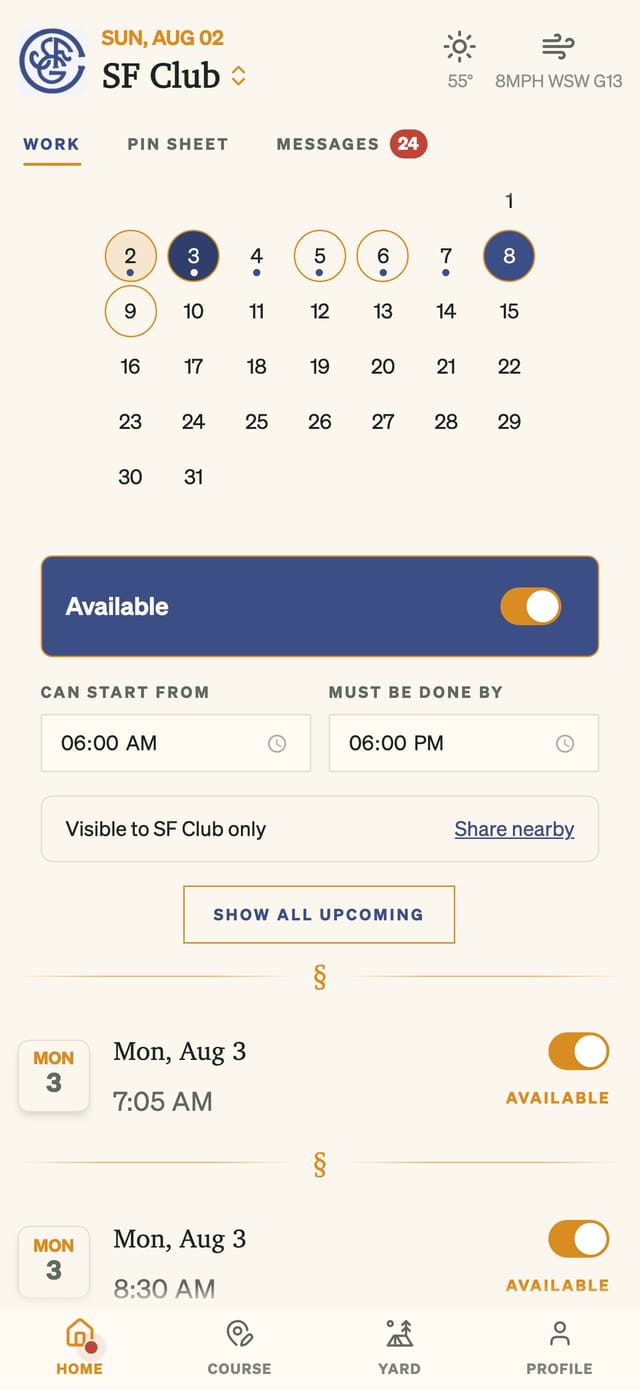
  • One profile, one history — wherever the caddie loops
  • Requestable anywhere — onboarded once, reachable by every club
  • The Yard feed — the caddies' own room, across club lines
The reach control: availability kept to the home club, or offered to nearby clubs with one tap
The Reach · Offered, Never Presumed
The Desk · The Season's Record

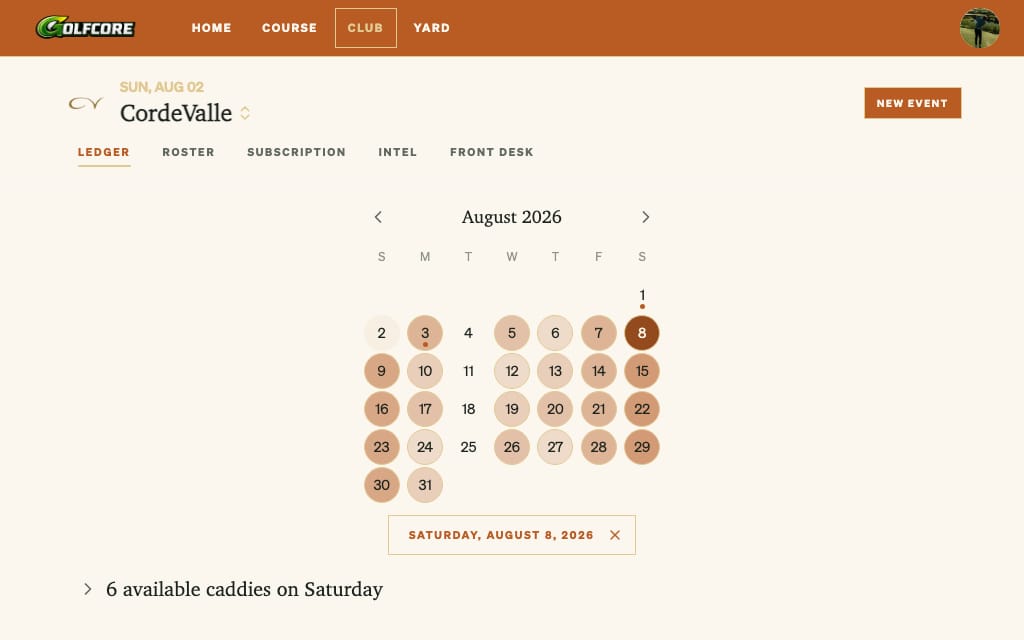
The whole month, shaded by the yard.

The calendar shades each day by the depth of the yard — the deeper the color, the more caddies free. Beneath any day stand the names: the club's own caddies first, then every caddie on the platform who has offered the day.

A club's tee sheet calendar with each day shaded by how many caddies are available
Demo data: a club's August, shaded by available caddies.
the honest comparisons

Dedicated platforms schedule the yard. GolfCore runs it.

Standalone caddie tools go deep on one workflow and sit beside the club's other systems. GolfCore runs the yard inside the club's operating system. Judge for yourself:

Common questions

Does GolfCore replace a standalone caddie platform?

For clubs that want the yard run inside the same system as the tee sheet, yes. Assignments come off real tee times, confirmations run over text, and caddies carry the same app the club and its members use — and every caddie onboarded anywhere on the platform can be requested by any club on it.

How do caddies confirm a loop?

By text. When the shop assigns a loop, the caddie gets an SMS and confirms from their phone — no separate portal, no morning phone tree. The tee sheet shows who is confirmed and who has arrived.

Do caddies get the GPS and green maps?

Yes. Caddies see the full course in GolfCore: green contour maps with fall lines, live wind at their position, and the day's pin positions — the same reads they give their players.

Can a caddie work at more than one club?

Yes. Once a caddie is onboarded at one club, any club on the platform can request them. They keep one profile and one history wherever they loop, and share The Yard — the caddies' own feed in the app — with the whole community.

Support & Inquiries

Write us. A person reads every message.

Account help, club onboarding, and questions about GolfCore — one address, answered promptly.

Contact GolfCore →
Sign In to GolfCore
Watch GolfCore on YouTube